Internal Control Module Software Incompatibility
The U0300 code means the vehicle's onboard diagnostic system has detected: Internal Control Module Software Incompatibility. This is a moderate severity code.
- Keep driving?
- Yes, but fix soon
- DIY difficulty
- moderate
- Estimated cost
- $100 - $300 (typically a reprogramming session at a dealer or capable shop)
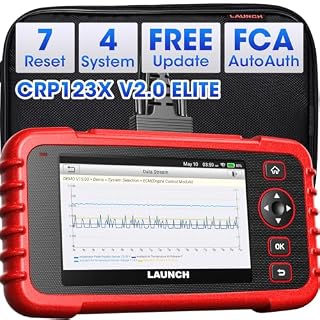
Network codes mean modules are not communicating. You need a scanner that reads all systems to find the problem.
Affiliate links — we earn a commission at no extra cost to you.
What Are the Symptoms of U0300?
- Warning lights after a module replacement or reprogramming
- Functions involving the Internal Control Module Software Incompatibility degraded
- Usually appears immediately after service, not spontaneously
What Causes U0300? (Most Likely First)
- A replaced or reflashed module carries software incompatible with the Internal Control Module Software Incompatibility Very High
- Interrupted or failed programming session Moderate
- Wrong-part module installed (right connector, wrong calibration) Moderate
Can I Still Drive with U0300?
Yes, but fix soon. U0300 is rated moderate severity. It is not an immediate stop-driving fault, but it will not clear itself — book the repair rather than ignoring the light.
Frequently Asked Questions
What does U0300 mean?
U0300 means two control modules are running software versions that cannot work together - almost always after a module was replaced or flashed. The fix is programming, not parts.
Can I keep driving with U0300?
Usually yes for a short period. The affected function may be degraded, and intermittent wiring faults tend to worsen - diagnose soon.
Should I replace the module for U0300?
Not first. Most communication codes are power, ground, fuse, or wiring problems. Replace the module only after those test good - modules are expensive and often require programming.
Mechanics Guide Step-by-step diagnosis
How Do You Diagnose U0300?
-
Ask what was recently replaced or reprogrammed - this code follows service events.
-
Verify the part numbers and calibration levels of the involved modules against the VIN.
-
Reprogram the affected module(s) to the current calibration with OEM software.
-
Clear codes and confirm the incompatibility does not return.
Sources 2
This page is built from documented references. Verify against your own service info before repair work.
- SAE J2012Diagnostic Trouble Code Definitions (defines the generic OBD-II code ranges)
- Cross-checked against the SAE J2012:2002 DTC table (2026-08-27)archived scan of the SAE standard — readable copy, not SAE’s current edition
Which Vehicles Commonly Get U0300?
- All OBD-II vehicles - network (U) codes are standardized across makes
Explore More
Was this helpful?
Send this to whoever is fixing the car — your mechanic, or the person asking what the light means.